


Classically, pre HTML5, web developers were limited to using scripts which ran in foreground for any computations which were needed on the web pages.
HTML5 seeks to enable rich web applications which can perform at par with classic desktop applications. To enable that, HTML5 has introduced “web workers” as part of its specification.
Web workers can defined as APIs which can run background scripts independent of UI scripts.
For desktop application developers, this is akin to worker threads which run on a separate thread than the UI thread.
HTMl5 specification on web workers http://www.w3.org/TR/workers/ provides the following expectations:
- Web workers can be long-lived
- They can have high performance cost
- They can have high per-instance memory cost
Web workers can be used for a variety of actions:
- Perform computationally expensive tasks without blocking UI
- Perform background IO
- Web workers are created by a constructor which takes in a Javascript file as an argument.
var myworker = new Worker(‘scriptfile.js’);
To communicate with a worker, use the onmessage method or use addEventListener to register a callback method.
Data to a web worker can be sent using postMethod() method.
Web workers communicate with other workers through message channels and MessagePort objects.
A web worker can be terminated by calling the terminate() method on the web worker.
Web workers can utilize multi-core CPUs more effectively because they run on a separate thread.
Sample code
Here is a sample listing showing how web workers can be used.
<!–WebWorkersample.html–>
<!DOCTYPE html>
<html>
<head>
<title>Web worker sample</title>
</head>
<body>
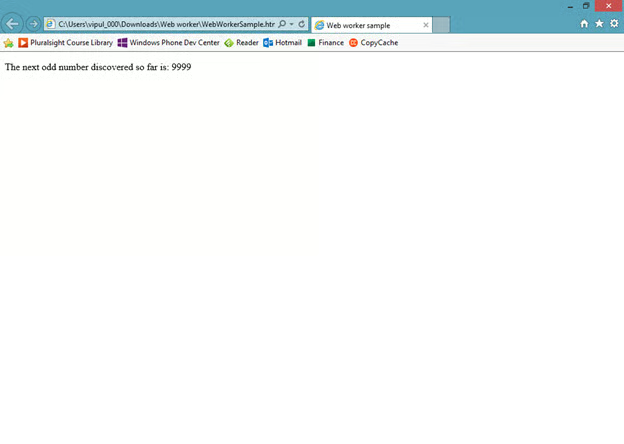
<p>The next odd number discovered so far is: <output id=”result”></output></p>
<script>
var worker = new Worker(‘sampleworker.js’);
worker.onmessage = function (event) {
document.getElementById(‘result’).textContent = event.data;
};
</script>
</body>
</html>
It calls a Javascript “sampleworker.js” which processes a sequence of numbers and identifies odd numbers and informs the UI about it.
//sampleworker.js
for (var i = 1; i <= 10000 ; i += 2)
postMessage(i);
When we run this page, you will notice that it prints (at lightning speed) all the odd numbers.
If you want the sample code, you can download it from <download link>.
Note that on Windows machines, you will need to unblock downloaded files before Javascript can be executed. You would do that by going to Windows Explorer and choosing File Properties and clicking “Unblock”.
Web workers can be used in background IO processing. Readers are encouraged to explore more about web workers by visiting the HTML5 specification link http://www.w3.org/TR/workers/.
Summary
In this article, we learned about web workers. I hope you have found this information useful.
About the author
Vipul Patel is a Program Manager currently working at Amazon Corporation. He has formerly worked at Microsoft in the Lync team and in the .NET team (in the Base Class libraries and the Debugging and Profiling team). He can be reached at vipul.patel@hotmail.com
