
2/18/13
The HTML Canvas element has given Web developers the ability to affect images in the browser much like expensive graphics software like Photoshop, all without altering the original file. In the Display Images in Black & White Using the HTML5 Canvas article, we saw how to create a really good grayscale effect using a canvas and bit of JavaScript code. Today we’re going to look at not one, but three awesome effects: Negative, Blur, and Rotate.
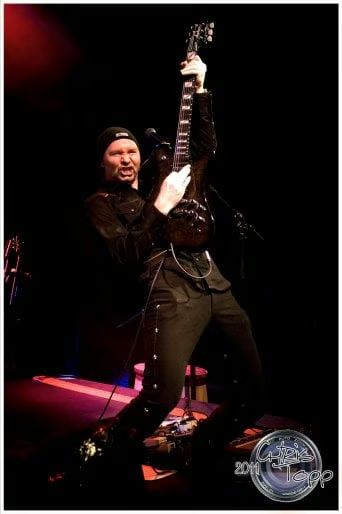
Negative Effect
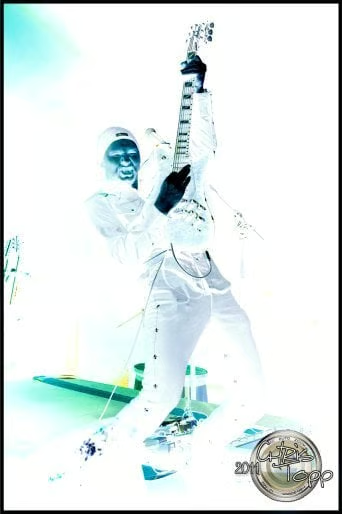
The negative effect reproduces the look of a film negative. If you’ve never seen a film negative, there are lots of examples on Google. That effect can be achieved digitally by iterating over all of the pixels in the image and inverting the red, green, and blue components by subtracting each component from the max color value of 255. If you compare the following code to that of the grayscale() method that I introduced in the Display Images in Black & White Using the HTML5 Canvas article, you’ll notice that they are quite similar; it’s really just a different algorithm being applied to the pixels:
  /* grayscale loop (for comparison)
  for (var i = 0, n = pixels.length; i < n; i += 4) {
  	var grayscale = pixels[i] * .3 + pixels[i+1] * .59 + pixels[i+2] * .11;
  	pixels[i  ] = grayscale; 	// red
  	pixels[i+1] = grayscale; 	// green
  	pixels[i+2] = grayscale; 	// blue
  	//pixels[i+3]              is alpha
  } */

 function negative(imageObj, context, canvas){
    var destX = 0;
    var destY = 0;

    context.drawImage(imageObj, destX, destY);

    var imageData = context.getImageData(0, 0, canvas.width, canvas.height);
    var pixels = imageData.data;
    for (var i = 0; i < pixels.length; i += 4) {
        pixels[i]   = 255 - pixels[i];   // red
        pixels[i+1] = 255 - pixels[i+1]; // green
        pixels[i+2] = 255 - pixels[i+2]; // blue
        // i+3 is alpha (the fourth element)
    }

    // overwrite original image
    context.putImageData(imageData, 0, 0);
}

 //add the function call in the imageObj.onload
  imageObj.onload = function(){
      context.drawImage(imageObj, destX, destY);
      negative(imageObj, context, canvas);
  };
Here is the result:
Blur Effect
Like the grayscale effect, there are a lot of ways to achieve blurring of an image. One fairly easy approach is to overlay eight instances of the image over the original, each with 1/8th of full opacity. The images are placed around the original image like a square filter, giving the impression that the image has been blurred. The browser can create the overlays fast enough to make this solution much faster than attempting to write an algorithm in JavaScript:
function blur(imageObj, context, passes) {
  var i, x, y;
  passes = passes || 4;
  context.globalAlpha = 0.125;
  // Loop for each blur pass.
  for (i = 1; i <= passes; i++) {
    for (y = -1; y < 2; y++) {
      for (x = -1; x < 2; x++) {
          context.drawImage(imageObj, x, y);
      }
    }
  }
  context.globalAlpha = 1.0;
}

//add the function call in the imageObj.onload
imageObj.onload = function(){
  blur(imageObj, context);
};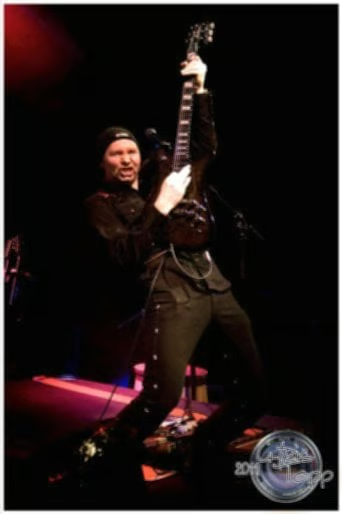
Image Rotation
OK, maybe this isn’t an effect in the literal sense of the word, but it does manipulate image pixels to create one that differs from the original. Besides, how can you discount the usefulness of giving people the ability to rotate an image at will?
As explained by James Litten, rotating an image is not a simple process:
When you perform a transformation, the entire context’s coordinate system is transformed. After transforming, you often want the coordinate system to be back to normal for your next step. Reversing the transformation by using another transformation is a dicey affair and can easily introduce small errors that add up quickly. It’s easier to simply save the normal starting coordinate system as a saved drawing state and then after we do our transformation and wish to have a normal coordinate system as opposed to our newly transformed one, we simply restore the state we saved before transforming.
Those are achieved using the context.save() and context.restore() methods respectively.
Like all rotation operations, there needs to be a center pivot to refer to. It’s set to the center of the image using the context.translate() method. The actual rotation is easily enough done due to the fact that the context object has a rotate() method. Once the image has been rotated, you still need to reverse translate the coordinates back because the image has to be rendered from the 0,0 point.
The last step is to pop the last saved drawing state off of the drawing state stack via the context.restore() method:
btnRotate.onclick = function() {
  var value = rotator.value;
  clear();
  with (context) {
    save();
    translate(imageObj.width/2, imageObj.height/2);
    rotate(value * Math.PI / 180);
    translate(-(imageObj.height/2), -(imageObj.height/2));
    drawImage(imageObj, 0, 0, imageObj.width, imageObj.height);
    restore();
  }
}
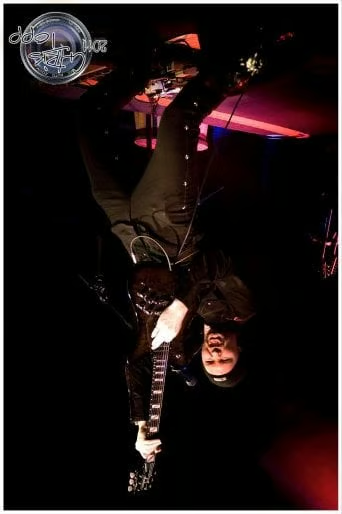
Here’s an example of an image turned upside-down:
Here is today’s demo file.
Conclusion
I should mention that the above effects can be combined to create all sorts of neat tricks. Moreover, you can tweak existing algorithms to come up with something altogether your own.
