


Introduction
On the face of it, Animate.css is a simple CSS library that saves you from writing a few more lines of CSS to animate elements on your website. Actually that is pretty much it, and that’s exactly what makes it such an awesome library. It takes you not more than fifteen minutes to understand how it works, and another few minutes to have the skills necessary to apply it.
If CSS3 keyframe animation is new to you, then I would advice you to read our previous article on CSS3 Keyframe and Animations before continuing with this article.
Animate.css
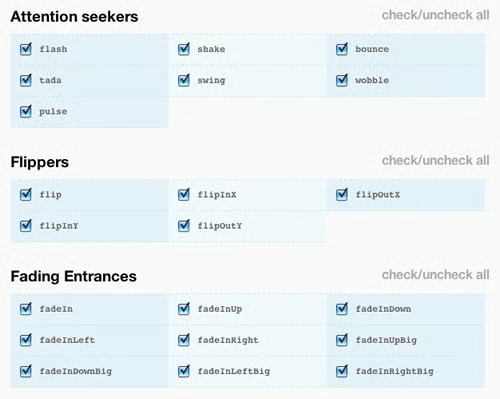
After downloading it you must include the CSS file in the head section of the page and you are ready to use it. And with a few lines of code, you can get some remarkable results.
border-image: url(path_to_border_image) A [B C D] [type]
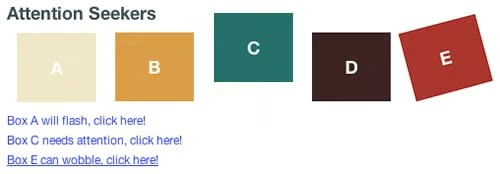
Examples of animate.css in action
Excited to use it on your own site? Great. Lets look at the code. As I mentioned earlier, these transitions are done using CSS. All you need to do is add a class to the element in question and the animation will happen. By default, the animation will loop only once but if you want to loop it multiple times, all you need to do is override the iteration count attribute. OK, enough said!
<
div class=
”
box box-a animated bounce
”
>
A
<
/div
>
If you paste this code into an HTML page with the stylesheet included, you will immediately see the animation occur. When the page loads, ‘A’ will bounce once and then stay static. Exciting right? Well, yes, but we want to be able to control when the animation occurs. Sadly, for that we can’t do only with CSS. We need to use some amount of JavaScript to do this.
I usually like to include my favorite JavaScript library jQuery to do this. With very little code, it helps us achieve what we want. Below is some sample code of how you can trigger the animation on the click on a link.
<
script language=
”
javascript
”
>
$(function() {
$(
“
#link1
”
).click(function() {
animate(
“
.box-a
”
,
‘
flash
’
);
return false;
});
});
function animate(element_ID, animation) {
$(element_ID).addClass(animation);
var wait = window.setTimeout( function(){
$(element_ID).removeClass(animation)}, 1300
);
}
<
/script
>
<
div class=
”
box-a animated
”
>
A
<
/div
>
<
p
>
<
a id=
”
link1
″
href=
”
”
>
Box A will flash, click here!
<
/a
>
<
/p
>
The above code will make the box A flash. Click here to see a working example. You can download it and play around by changing the animation name. To find the various animations that are there, I suggest you hop over to the home of animate.css.
Sometimes, we would like to let the animation continue multiple times or even infinitely. Since CSS is inherently cascading, this becomes extremely simple. All we need to do is specify the animation-iteration-count attribute with whatever value we want in our class. The signature of animation-iteration-count is:
animation-iteration-count: infinite |
<
number
>
Setting the count to infinite will make it go on forever. Otherwise, you can specify the number of times it should animate. The default count is set to 1. Here is an example of how we can set the above code to iterate infinitely. (Remember we will have to modify the JavaScript code to not remove the class after 1300 ms).
.box-a {
animation-iteration-count: infinite;
-moz-animation-iteration-count: infinite;
-webkit-animation-iteration-count: infinite;
}
Conclusion
That should give you an good understanding of how you can use animate.css to bring life to your site. My advice would be to keep it subtle and not animate things all over your site. When things are moving around on the site, it distracts the user from reading or looking at pictures. These animations should probably be used in transitions. Or when loading the page.
