
Previously we looked at several useful extensions for Joomla!. In this article we’ll look for Joomla! extensions that are useful for transfering files via FTP.
Installing the eXtplorer Joomla! Extension
I wanted to find an alternative for FTP uploads and the most popular one is eXtplorer. To use this extension, you’ll need to have at least PHP 4.3 on your server. You’ll also need to have a current browser with JavaScript enabled for this extension to work.
Essentially, eXtplorer is a web-based File Manager. To install it, go to Extensions: Install/Unstall, browse for the file, and once you find it, click on the Upload File and Install button. After that, you’ll need to be patient, as it could take awhile for the extension to be installed.
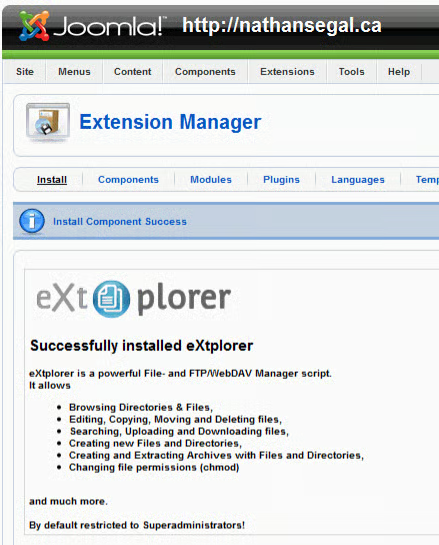
Once it does, you’ll see the following screen. After that, the extension is ready to use.
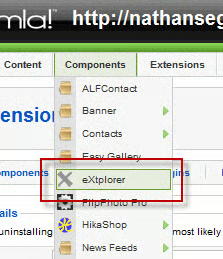
Go to Components: eXtplorer to actvivate it.
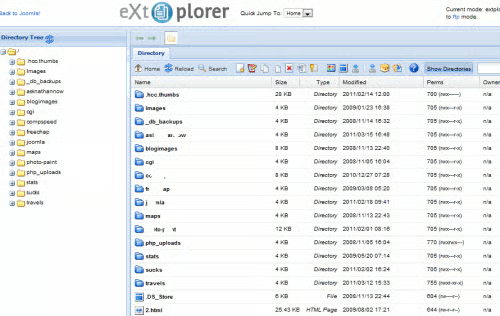
This brings up the eXtplorer main interface. On the top left is a link that will take you back to Joomla! and on the top right is a link that will take you to FTP mode.
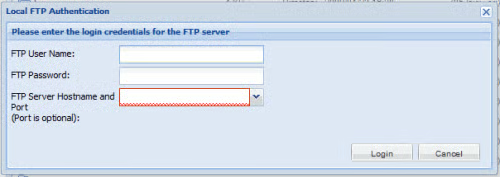
When you click on the link, an FTP authentication box comes up and you have to enter your FTP login information. Assuming you enter your login credentials, you will then be able to use it to transfer files back and forth to your Joomla! installation.
Installing the JFUploader Joomla! Extension
Looking for another FTP extension, I went back to the Extension directory and found the JFUploader.
You can download the extension as three individual zip files as in the screen shot above, or download it as one file, which you’ll have to unzip later, then install the three individual files. Each file gives more funtionality to the extension.
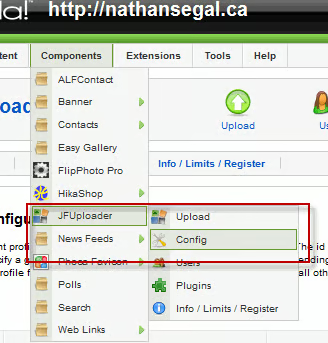
Go to Components: JFUploader: Config.
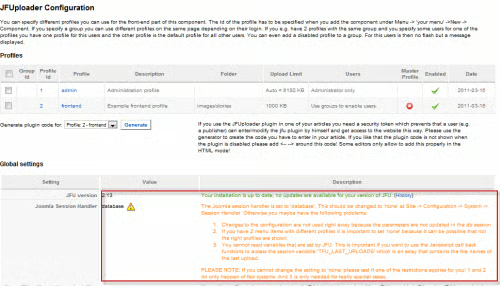
This takes you to the JFUploader page. There, I discovered I that I had an error message which told me that I needed to fix how the session can be stored in the database. Go to: Site: Global Configuration: System. Change the Session setting from database to none. Save your changes.
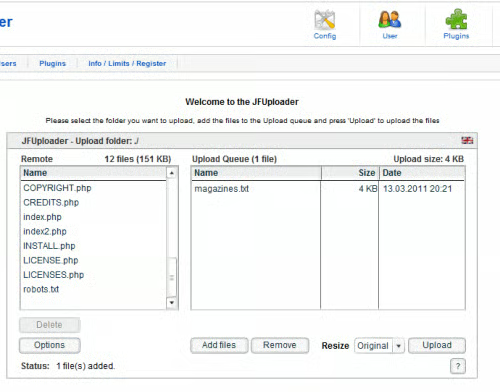
Go to Components: JFUploader: Upload. In the JFUploader screen, click on Add Files to load them to the Upload Queue, then drag the files to the JFUploader folder. This works just fine but to my disappointment, you can only upload and delete files, not download them. Of the extensions in this article, it seems that if you want to use extentions for file uplads and downloads, you’re better off using eXtplorer.
If you know of any better FTP extensions for Joomla! please leave a comment below!
