


A key advantage to a content management system is that it places content creation in the hands of the client. However, the downside to having the Web developer removed from the process is that search engine optimization (SEO) can suffer. Several Drupal contributed modules make SEO easy for content producers: Page Title, Excerpt, Nodewords, XML Sitemap.
The purpose of a search engine crawler is to deliver to a Web user the best possible results for a searched term or phrase. Make that easier for the search engines and your organic search standings are likely to improve. Search engines give more weight to front page content and content above the fold, presuming that you will feature your best content first.
Because Drupal, like most content management systems, by default publishes teasers to the home page with a “read more” link, you want to be sure those summaries are keyword rich. By default, Drupal grabs the first X number of characters (configured on the Post Settings page) of the body text to create this content summary.
The Drupal Excerpt module adds an additional textarea field to the node add/edit form that allows content creators to write a unique teaser. If nothing is entered in this field, a teaser will be created automatically from the body, using the post setting policy.
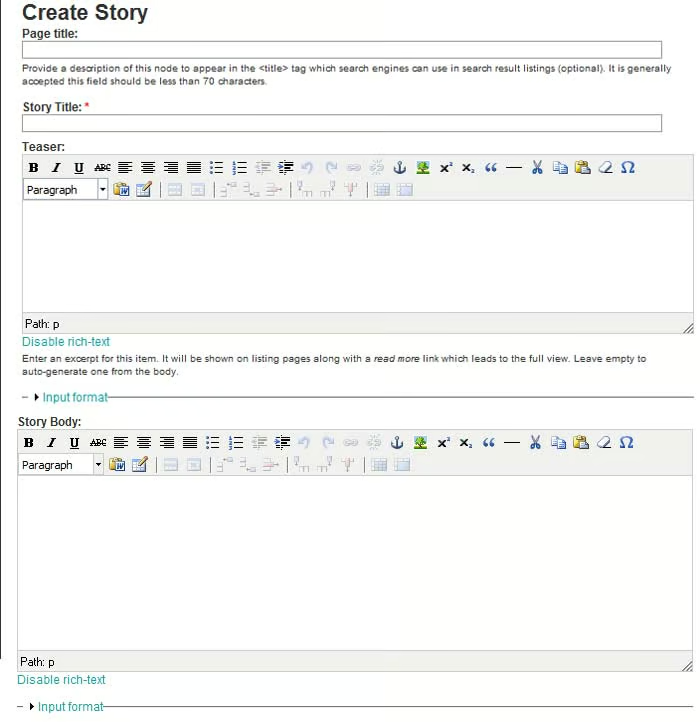
Configuring the Module
Just install this puppy and go! No fuss, no muss. The module draws from the Post Settings, so nothing more is needed.
Why Do I Want Unique Teasers?
There are several reasons to display unique teasers.
Better SEO
Let’s face it. We writers like our adjectives/adverbs, metaphors, and obscure word gems. But, this creative writing doesn’t always lend itself well to search engine optimization (SEO). Being forced to forgo an eloquent introductory paragraph and pack sentences with a repetition of the same boring keyword(s) is just plain offensive to an author. A custom summary can be a nice compromise. Using the Excerpt module, you can craft a teaser that appeals to the search engines, while retaining the integrity of your writing for the full article. Need an example? See this article’s teaser. Yawn.
Another faux pas would be including references to competitors or links to other websites in your teaser. No need to promote them on your time. Use the Excerpt module to write a teaser that is free of detractions to your own keyword promotion.
Teaser Cliff Hanger
Tease your audience with your teaser. Make them want to click the “read more” link. By customizing the teaser, you can create a “cliff hanger” in the article summary to encourage the reader to view the full article. If your site serves advertising, the additional page views have great value. And, if this content is distributed by RSS feed, it could mean the difference between a Web user visiting your site or not.
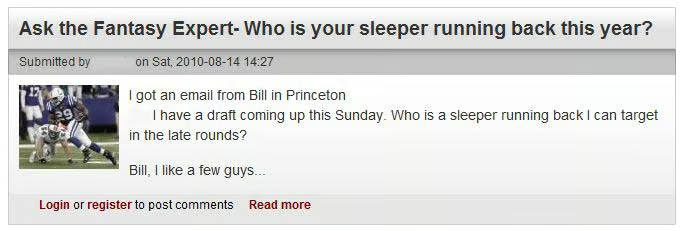
Here is an example of a full blog post, which offers tips from an expert:

Now, here is a look at an optimized teaser. Subtle, but with this bit of editing, (hopefully) the visitor is compelled to read more. If left to Drupal’s default devices, the article summary might have provided the punchline along with the joke.
Summary
Providing a keyword-rich home page will improve your site’s search engine rankings. The Excerpt module will make it easier for you to deliver that competitive edge. Alternatively, you could achieve the same with a custom CCK field. But, for those not comfortable with CCK, the Excerpt module provides a good option. It is not customizable, but it gets the job done. As with all SEO tools, the key is getting your content creators to use it! The module can be a bit flaky with input formats and WYSIWYGs, but it is a useful tool and stable enough. Shout out to several contributors for keeping this module going.
NOTE: A unique node teaser field is a part of Drupal 7 core!
