Things are getting easier with the advent of technology. Gone are the days of long coding hours and finding errors for hours. Now, it has become easy to design a website. Not only that, even mobile applications are now easy to make. All you need is just basic skills in Photoshop and that is it. You can make your own mobile applications with Photoshop, without coding. Well, here’s how you can do it.
1. Setting up Gridlines
It is required to design high-res retina screen while developing mobile applications. What happens on the mobile phone with high resolutions is that 2-pixel lines appear as 1 point when they’re shown on screen.
Therefore the first step is to set up the Photoshop grid to split gridlines into 2 pixels.
Photoshop > Preferences > Guides, Grid & Slices
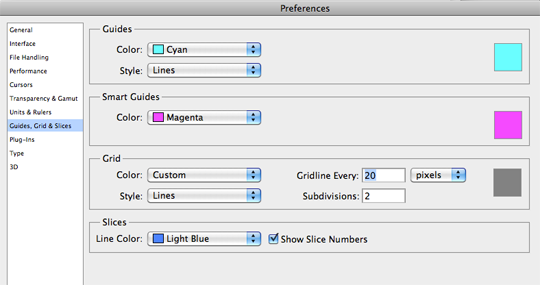
Here, in this example, gridlines are set to 20 pixels and is sectioned to every 2 pixels.
Now do the snapping task. Here you need to ensure that you snap setup to snap to all. Here, the functioning should be such that any object movements should snap to the 2px grid.
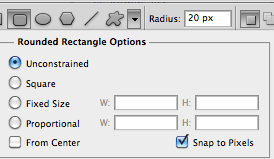
Also, ensure your shapes tool is setup to snap to pixels.
About colors, you need to ensure that you take color codes to work with precision. Colors are different on different screens. It is important to adjust the color settings.
2. Getting a PSD template
Just like how a web designer keeps a PSD template for designing a website in Photoshop or a framework for making it up in HTML/CSS
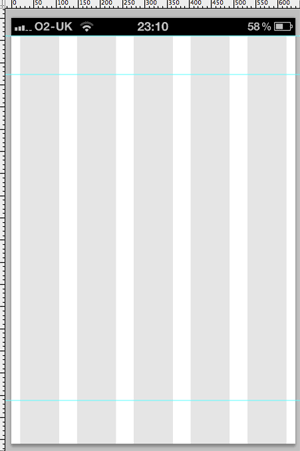
And the same thing is required while designing an iPhone app over Photoshop. Here you need to keep static elements in place. Also, you may require a grid to work along with the typical guidelines you might want to use
The canvas is open for adding several elements like button, text, etc.
3. Get iPhone 4 GUI PSD retina display
It easy to get Teehan & Lax’s iPhone 4 GUI PSD retina display elements. Here, all the single pixel elements becomes two or three pixels thick. Here the effects are exaggerated to become visible. It is necessary to be really aware of how the buttons looks on phone and how different are they displayed on your computer screen while using Photoshop.
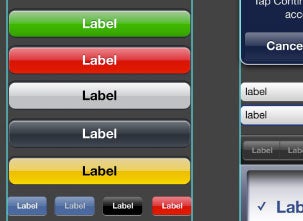
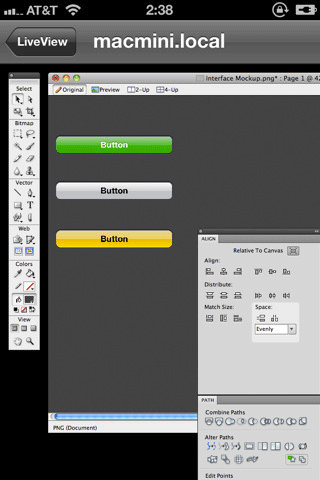
Few of its examples includes;
Ideal tap-able area on screen = 44px
User’s orientation expectation = Portrait
Branding take = unobtrusive
Each app submission requires several icon dimensions
Making efficient use of = contours and gradients
Thing to use sparsely = Modal windows
6. And lastly, Use Codly.io
And when, you are done with designing, checking guidelines and also making changes as per the guidelines, you can export the design in a code for get it operational.
All you need to do is that you must go to codly.io
And over here, just do how it is guided.
If still in doubt, check out this video
Conclusion:
Even though, there are few sub-steps in developing an iPhone app, but this doesn’t restrict you from making your own app. Ideally, I would say you go for testing with iPhone 4S. This is the little friendly version with less security protocols and shall allow you to preview your custom designed app.
It is fun and amazing way to create your own iPhone app in Photoshop. You just need to take care of the above mentioned protocols for launching the app successfully.
Author Bio:
Shahid Abbasi is a marketing consultant with Peerbits, a one of the top mobile app development companies creates highly polished iOS and Android apps. Shahid likes to keep busy with his team, and to provide top-notch mobility solutions for enterpri