Fonts can make or break a publication, whether it’s online or in print. And while there are a lot of fonts available, it can sometimes be hard to tell what a font is just by looking at it. Fortunately, there’s a solution to that problem in the form of a service called WhatTheFont.
There are a couple of ways that you can use this tool to identify the font. One is through the use of a URL; the other is to upload a file. I prefer the latter because it gives you the ability isolate the font. To capture the font, I make use of Snagit, for screen captures.
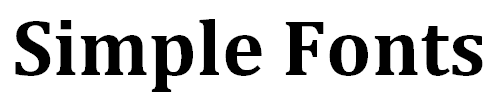
For this tutorial, I’ve used a standard font that comes with Microsoft Word 2010. I used Snagit to make a tight cropping of the text which I saved as a high contrast black and white GIF image. I then uploaded it to Whatthefont.com
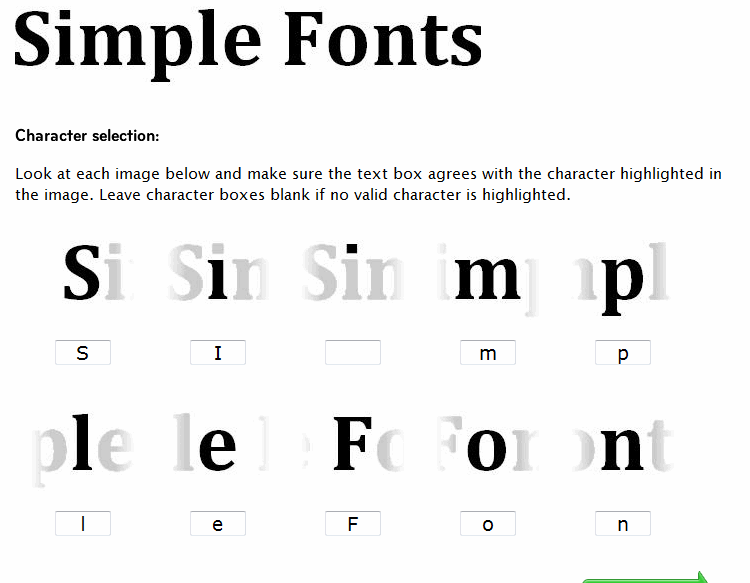
What you now see is the second step of the process, where the software attempts to identify the font that was used. You’ll notice how the software breaks down the process by each individual letter then places the letter in a box below the captured text. If it’s correct, leave it alone. If not, you’ll want to make the appropriate correction. Once you’re satisfied, click on the Continue button at the bottom of the page.
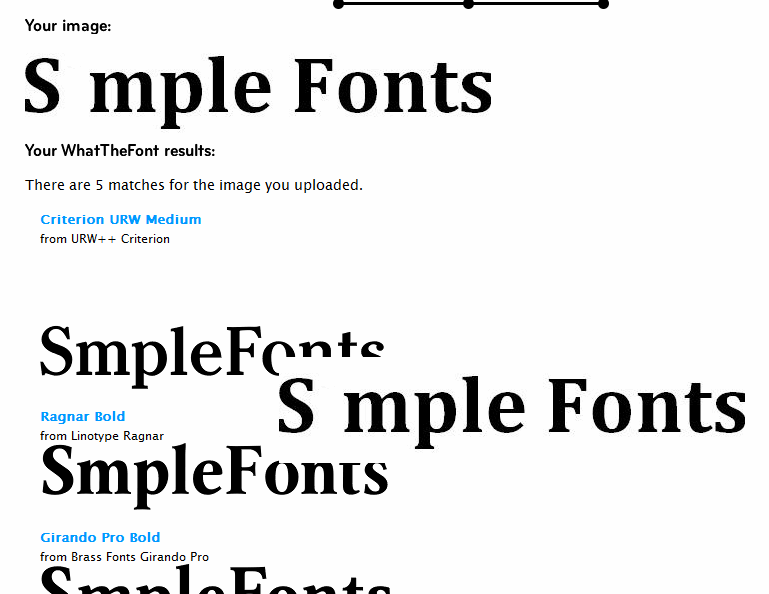
On this page, WhatTheFont gives you the best matches of what it thinks the font will be. You’ll note a piece of floating text on the right that will move as you scroll down the page, allowing you to compare your font to the available options and choose the best match.
If the result isn’t what you want, you can send it to the forums or ask the experts at WhatTheFont to help identify it for you.
For Best Results
- An ideal letter height is approximately 100 pixels. Make sure to capture upper or lowercase letters – not numbers or special characters. The text must be horizontal and must have spacing between each character.
- If you’re using a font that is similar to other types, use up to 23 characters to help the software identify it.
- Make sure the letters aren’t touching, otherwise WhatTheFont will treat them as a single letter.
- Try to keep it simple.
- If you scan text, scan it at 300 dpi, and save it as a grayscale TIFF.
- The ideal maximum size of of an image with no decenders is 102×1666 pixels. If you do use descenders, use a maximum size of 160×1250 pixels.
- For fonts within graphics (such as those obtained on the Web), you can isolate the font by converting it to a 1 bit image and inverting it if necessary to create the necessary separation between the font and the background.
As for finding the font online, there are many paid fonts, but it’s not always necessary to buy them. Simply add the words “free” or “download” to your searches. You’ll be amazed by what you can find.