SHARE
Facebook X Pinterest WhatsApp

Firefox Extension for Web Development: LinkChecker

Dec 31, 2010

Nothing like a case of link rot to tarnish your otherwise sparkling website. The LinkChecker extension offers a quick and convenient way to identify any broken links on your site.
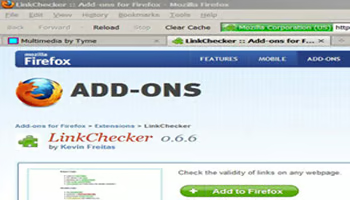
screenshot of Firefox Link Checker extension


Pop on over to the LinkChecker extension download page. Once you click the “Add to Firefox” button, the add-on will automatically install into Firefox.

From the menubar, click “Tools” then select “Add-ons” to enable or disable your extensions. For LinkChecker, click the “Options” button there to set highlight colors for good links and bad links. Use the “Exclusions” tab to note any keywords that you’d like to skip during scanning.
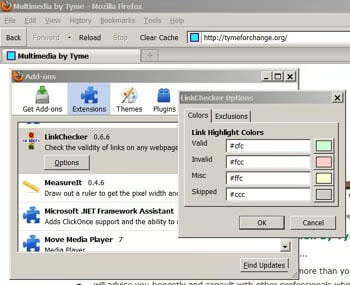
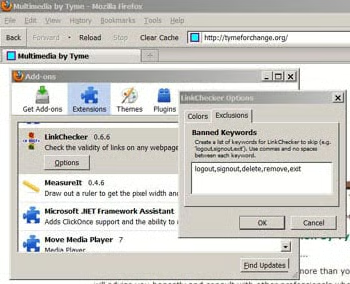
screenshot of Firefox Link Checker extension

screenshot of Firefox Link Checker extension

Deploying the extension is as easy as selecting “Check Page Links” from the
“Tools” dropdown menu.
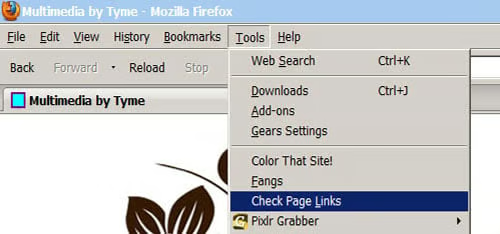
screenshot of Firefox Link Checker extension

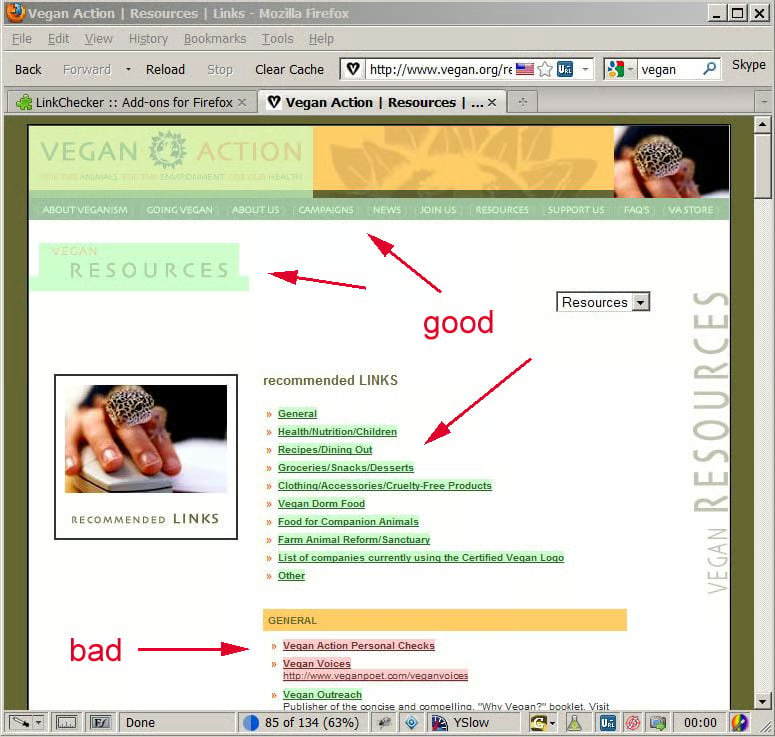
LinkChecker will scan the document, highlighting each link in one color as it evaluates it, and highlighting the link in a different color if it is a broken link. A meter at the bottom of the browser will show the scanning status. That’s it. Your page has been scrubbed.
Advertisement

screenshot of Firefox Link Checker extension

Summary

As you can see, the LinkChecker extension for Firefox couldn’t be easier to use. That means, no excuse for link rot! (Shoutout to developer Kevin Freitas.)

Because the add-on is so (beautifully) simple, I feel that I have shortchanged readers on words, this article. So, I leave y’all with a wee bit of haiku:

Bad URLs got you down?
Say hello LinkChecker.
Goodbye broken links.

Thank you, I’ll be here all week.

Recommended for you...

Shopify Alternatives
Helpful Tips for Designing a Landing Page that Converts
Five Essential HTML5 Editors
Best Web Hosting Providers
Enrique Corrales
May 31, 2022
HTML Goodies Logo

The original home of HTML tutorials. HTMLGoodies is a website dedicated to publishing tutorials that cover every aspect of being a web developer. We cover programming and web development tutorials on languages and technologies such as HTML, JavaScript, and CSS. In addition, our articles cover web frameworks like Angular and React.JS, as well as popular Content Management Systems (CMS) that include WordPress, Drupal, and Joomla. Website development platforms like Shopify, Squarespace, and Wix are also featured. Topics related to solid web design and Internet Marketing also find a home on HTMLGoodies, as we discuss UX/UI Design, Search Engine Optimization (SEO), and web dev best practices.

Property of TechnologyAdvice. © 2025 TechnologyAdvice. All Rights Reserved

Advertiser Disclosure: Some of the products that appear on this site are from companies from which TechnologyAdvice receives compensation. This compensation may impact how and where products appear on this site including, for example, the order in which they appear. TechnologyAdvice does not include all companies or all types of products available in the marketplace.