


Introduction
Yep, I know what you are thinking. “Thanks to HTML Goodies, I’ve got Internet Explorer Web Developer Toolbar, Firefox Web Developer Extension, and Firebug, what more do I need.”
Okay, so you have a hammer, a screwdriver, and an adjustable wrench. Even your basic tool belt has room for a few more tools. Google Webmaster Tools is a handy diagnostics toolbox and a tricked out tool shed, if you factor in all the add-on gadgets for helping you improve the “findability” of your site. Let’s open the lid and peek inside.
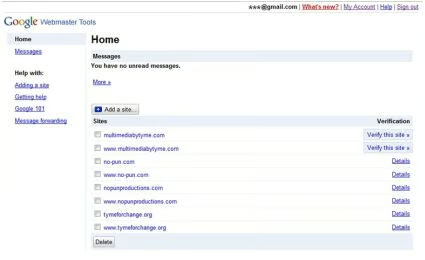
Once logged into your Google Webmaster Tools account, you will be presented with the option to add a site (domain name) for inclusion or view an existing site. A verification method is used to synchronize your site with the Google application. This verification is created by either adding a meta tag to your Web page or by uploading to your Web space an HTML file uniquely named by the application.
Google’s new Webmaster Tools interface (shown herein) is reminiscent of some of their other products with a portal feel.
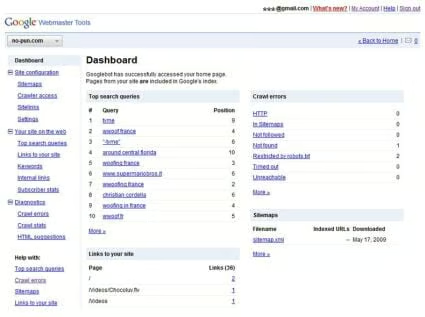
The home page provides a quick glance at some of your key information: “Top search queries”, “Crawl errors”, “Links to your site”. Using the right-hand navigation, you can explore these and other features in greater depth. A drop-down menu button in the top left allows you to switch between sites.
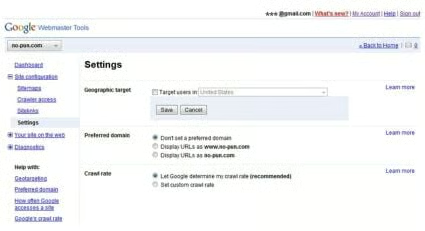
The Webmaster Tools are organized into three sections: “Site configuration”, “Your site on the web”, and “Diagnostics”. As you might expect, the Site Configuration section is one that you typically do just once for each site, while the other sections are ones that you will want to monitor on a regular basis of your choosing. Be sure to use Settings to note your preference for using the www or non-www version of the domain name for URLs. Google makes a distinction.
For the sake of brevity, I will highlight a few of the features that prove particularly useful.
Sitemaps
Perhaps you are aware that there are two types of sitemaps: an HTML sitemap that is a collection of links to pages on your site – a navigational aid used by your Web visitors, and the search engine sitemap referenced here. The search engine sitemap is a document (XML file) that lists key URLs from your site, which helps the search engines identify key pages for indexing and how often those individual pages change. (Learn more about sitemaps by clicking the “Sitemaps” help link on the Webmaster Tools sidebar.)
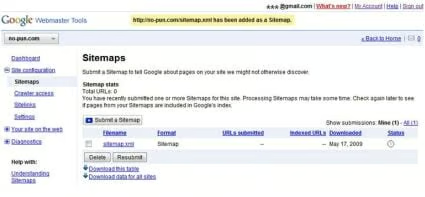
Through Webmaster Tools, you provide Google a URL to the location (in your Web space) of the sitemap that you created by following the Sitemap Protocol. Once Google has digested your sitemap, Webmaster Tools will report back about any errors.
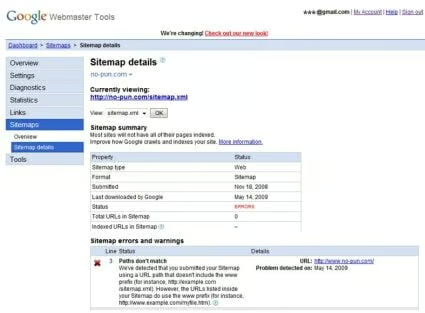
In the example shown above, Google is reporting that a URL of www.no-pun.com was found in the sitemap for domain no-pun.com. Google makes a distinction between the www and non-www versions of the domain. The oversights are easy to correct with the convenient error listing that Webmaster Tools provides.
