


There are basically two types of authentication you can use in any web app: Session-based and Token-based. For today’s single-page apps (SPAs), Session-based authentication tends to be overkill. Therefore, Token-based authentication is the de facto standard for SPAs. JSON Web Tokens (JWT) are one of the most widely used in modern SPAs. JWT is an open standard (RFC 7519) that defines a compact and self-contained way for securely transmitting information between parties as a JSON object. This information can be verified and trusted because it is digitally signed. JWTs can be signed using a secret (with the HMAC algorithm) or a public/private key pair using a cryptographic algorithm such as RSA or ECDSA.
In today’s article, we’ll set up a Node.js project in MS Visual Source Code. Within that development environment we’ll build and test an SPA that authenticates a user’s credentials against one that is stored securely in a MongoDB database.
Prerequisites
In order to follow along with this tutorial, you’ll want to download MS Visual Studio Code, as well as the Node.js JavaScript runtime and npm Node.js package manager. Node.js comes with npm, so installing it covers both tools.
To confirm that you have Node.js and npm correctly installed on your machine, you can type the following statements at the command prompt:
C:\Users\blackjacques>node -- version
v8.10.0

C:\Users\blackjacques>npm -- version
5.6.0
Creating the Project
The first thing we’ll need is a folder in which to put all of our project files.
- Fire up Visual Studio and select File > Add Folder to Workspace…
- That will bring up a folder browser that you can use to select the project folder. You don’t have to create one before-hand. In Windows, you can just use the New Folder button to create one.
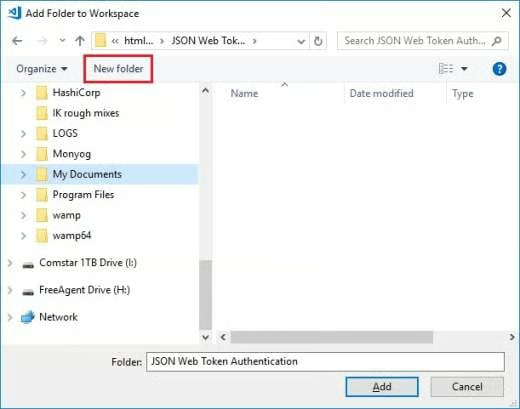
- With the project folder added, go to the Terminal and make sure that the working directory is your project root. If the Terminal is not currently visible, go to View > Integrated Terminal to bring it up.
- In the Terminal, type the following command:
__ATLAS_CODE_BLOCK__1__
That will initiate a command line questionnaire that will conclude with the creation of a package.json in the directory in which you initiated the command.
Alternatively, you can issue:
__ATLAS_CODE_BLOCK__2__
That will generate a default package.json using information extracted from the current directory. - Now it’s time to install some dependencies:
__ATLAS_CODE_BLOCK__3__
That will install the express web framework, jsonwebtoken package to authenticate the user, mongoose schema model, and body-parser middleware. - We also need to install the nodemon development server to prevent the stopping and restarting of the server process.
__ATLAS_CODE_BLOCK__4__
That’s all we need for now. We’ll be adding a few more dependencies as we go.
Configuring the Node Server
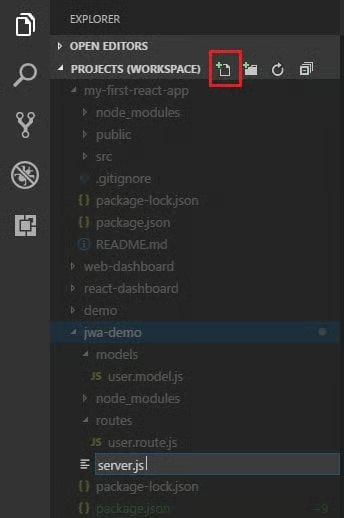
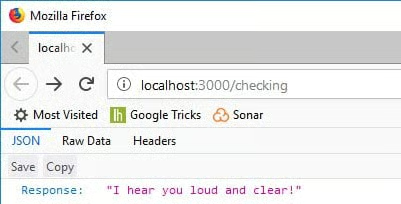
Going Forward
We’ll leave it at that for now. You can peruse the files that we worked on today on GitHub.
Next time, we’ll:
- Set up the MongoDb database.
- Create a User model.
- Create the Signup Route.
- And, last but not least, add the authorization code!
