
Without a doubt, WordPress is my favorite CMS for building a web site, partly due to its ease of use and flexibility. You can build a website which functions as a blog or a commercial website with blog functionality disabled. Not only that, but many hosting providers have an automatic WordPress installation function. These make it a snap to set up and configure a blog.
After the installation of WordPress is complete, it’s a straightforward matter to set up your site, starting with the installation of WordPress templates. Generally, I prefer to use free templates and you can find a great many of them here, both commercial and free. In addition, you can find more themes on Google. One thing to be aware of is that not all themes are equal, and you often get what you pay for.
When you find a template that you like, you can install it to your blog directly (if you’re doing your search within WordPress) or you can download the template and install it later.
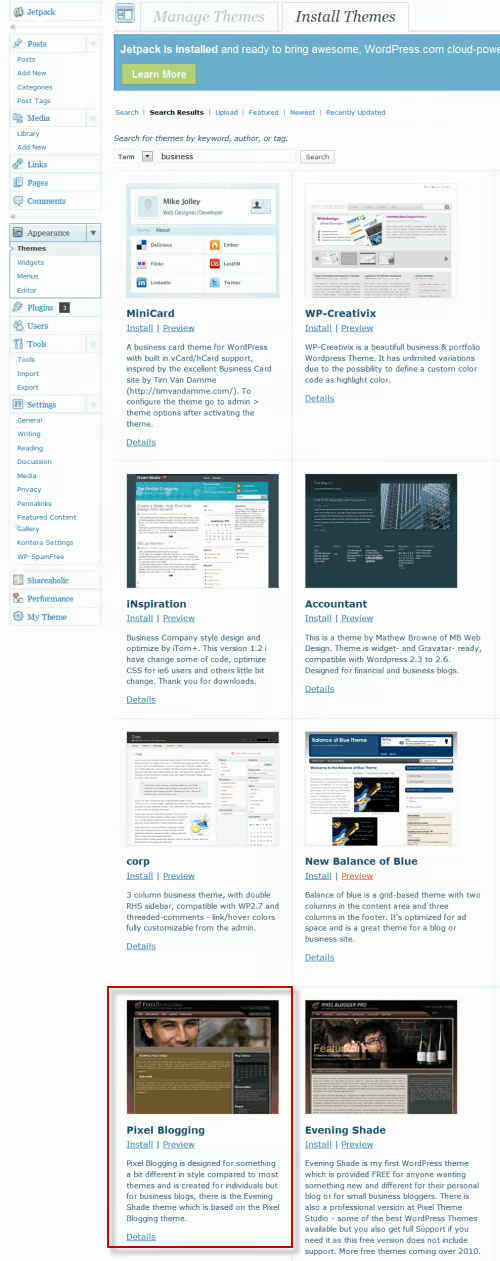
Installing a template is pretty straightforward. In this example, this will take place in the dashboard in WordPress. I’ve already completed a search with the keyword: “business” and found a template. To install it, click on the Install link. A window will pop up. Click on the blue Install Now button.
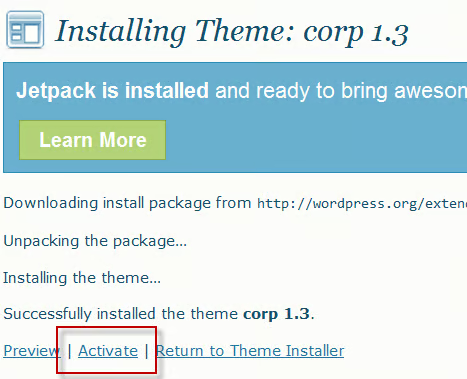
In this case, the installation failed so I had to choose another template. Regardless, this message is what will come up once the template is installed. Click on the Activate link and the theme will now be displayed on your site. After that, you can configure it to your specifications.
WordPress Tips and Tricks
When you download a blog, make sure that it’s “widget ready.” Widgets are boxes where you can add more functionality to your blog, such as advertising, signup boxes, custom purchase options and more. They function as a drag and drop on the dashboard and they usually are placed on the sidebar, though some blogs offer options for placement the header and footer, as well.
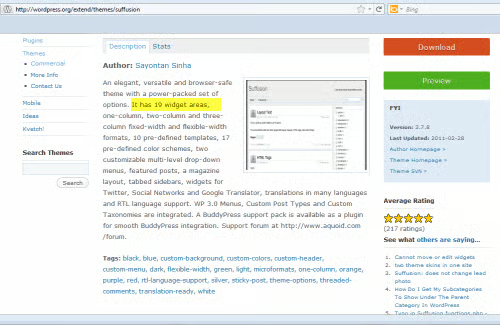
Here’s an example of a theme that offers widgets. This template offers 19 widgets. To see how the widgets work, you’ll have to visit the dashboard, as shown in the screen shot below.
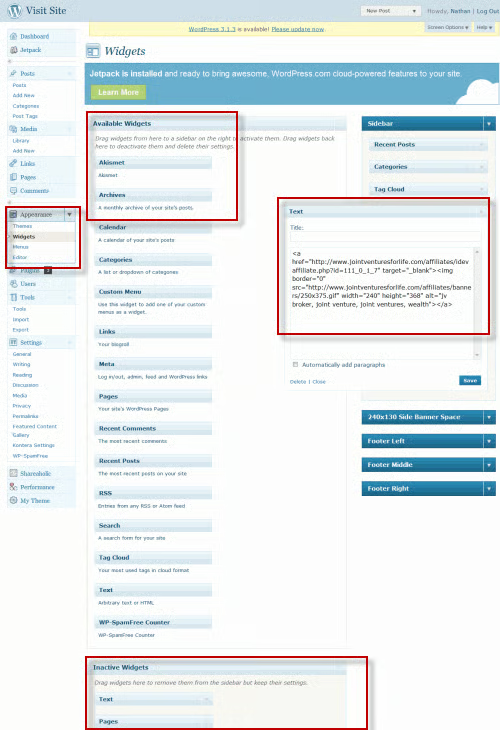
Here, I’ve highlighted several areas in the dashboard.
- On the far left is the Appearance panel, where themes are stored and where you would access the widgets for your blog.
- To the immediate right of that is the section with Available Widgets that you can drag to the sidebar.
- At the bottom of this screen shot is the Inactive Widgets area. When you decide to stop using a Widget, you drag it to this area, where the widget is deactivated. It will no longer display on your site.
- At the far right is the area where all the active widgets are displayed. Note that I’ve opened one widget so you can see the code inside.
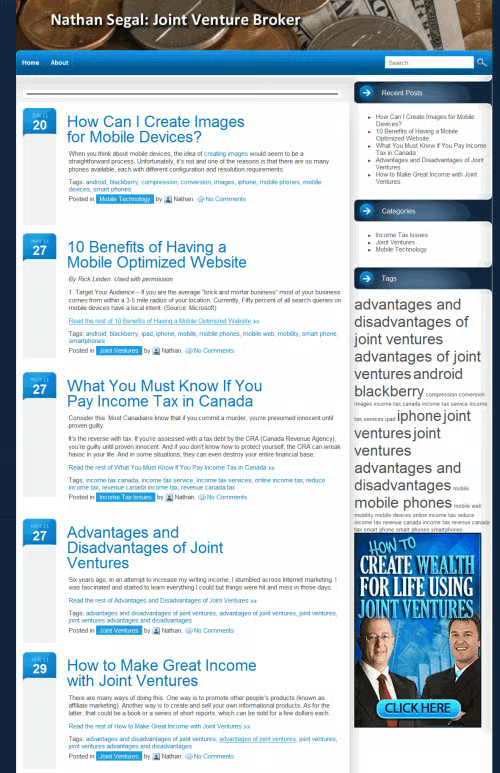
All of these widgets are used in my blog: NathanSegal.org. Here’s a screen shot of the blog with the active widgets.
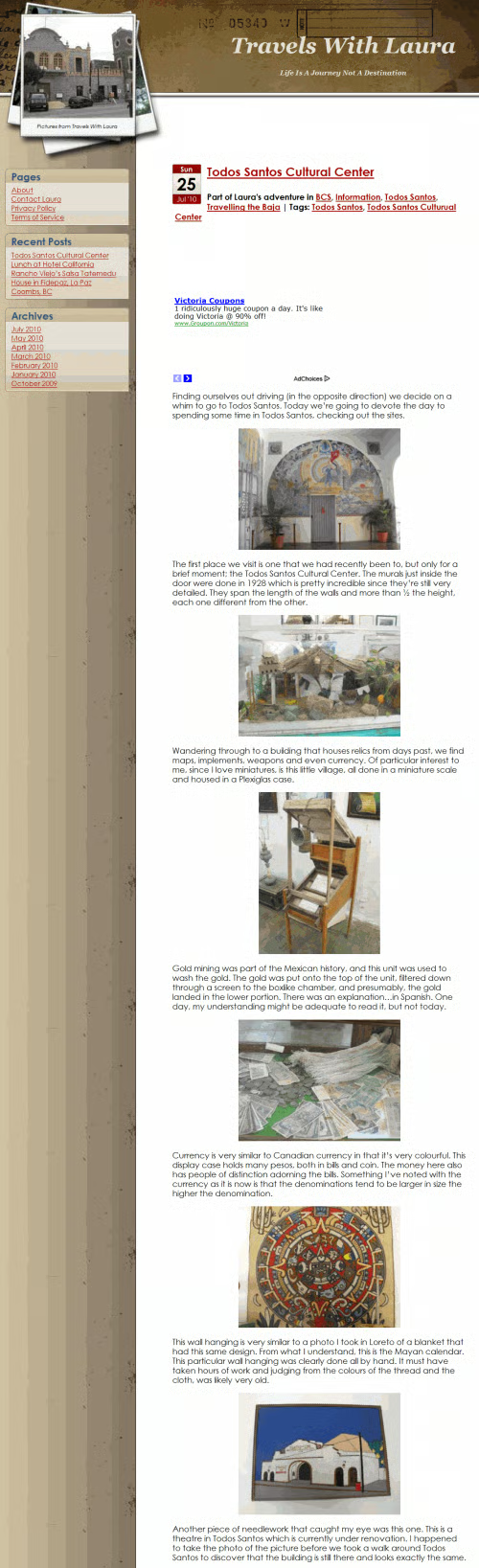
A common problem with many blogs is run-on entries, where one entry follows another, making for a long scrolling page. While some bloggers like this approach, it can be distracting and a time consuming way to find entries. It’s better to have short snippets that open into the full length article. There are two ways of making this happen. One is to make use of “The Loop,” and to edit the file so it will only display a set number of characters. The down side of this approach is that sentences will truncate unexpectedly and could confuse readers.
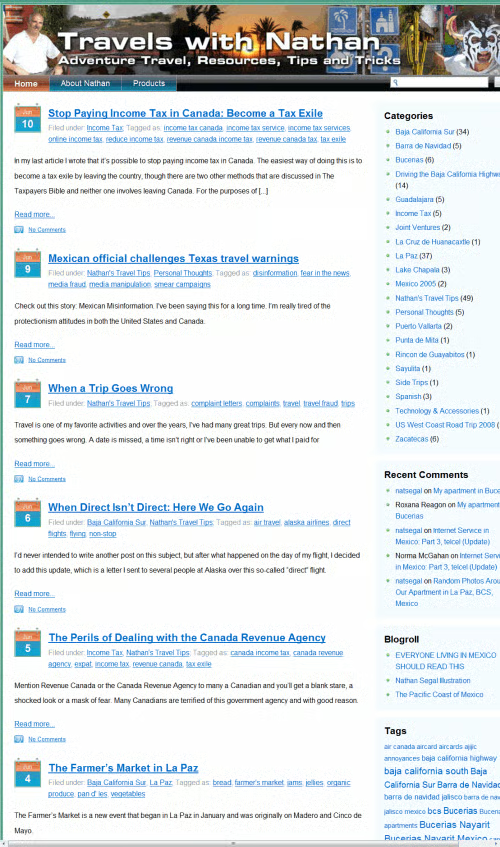
A better option is to make use of the <!–more–> tag, as shown above. As you can see, this site uses excerpts.
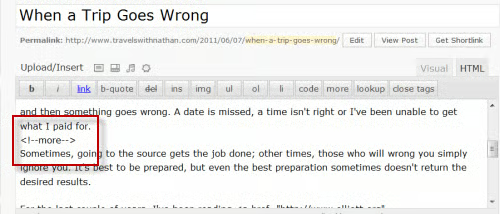
In the screenshot above you can see what the use of the tag looks like in actual practice.
Conclusion
In this article you’ve learned about a quick overview of templates, plugins and configuring WordPress. More information is available in the WordPress series.
