Use these to jump around or read it all
The Concept
The Script
The Script’s Effect
Deconstructing the Script
What You’ve Learned
Your Assignment

The Concept
Here is another example of onMouseOver and onMouseOut. This time, instead of including the JavaScript statement to swap pictures in the <A HREF> tag, the onMouseOver, onMouseOut event calls a function.
In general, when you only need one JavaScript statement, you
can include it in the <A HREF> HTML tag. For multiple JavaScript statements, call a function. In the real world, you will often need multiple JavaScript image flips on a page.
The Script
So you can see where each of the parts go, this display includes the entire HTML document formula.
| |
<HTML>
<HEAD>
  <title>JavaScript Example</title>
<SCRIPT type="text/javascript">
 function up()
{
    document.mypic.src="up.gif"
}
 function down()
{
    document.mypic.src="down.gif"
}
</SCRIPT>
</HEAD>
  <BODY>
    <CENTER>
    <h2>Sample Animation</h2>

<A HREF="https://www.htmlgoodies.com"
	onMouseOver="up()"
	onMouseOut="down()">
<IMG SRC="down.gif"
	NAME="mypic"
	BORDER=0>
  </BODY>
</HTML>
|
The Script’s Effect
Sample Animation with OnMouseOver and OnMouseOut
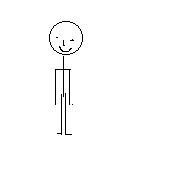
If you mouse over and out quickly, this looks like an animation of a stick figure doing jumping jacks.
Deconstructing the Script
- Both onMouseOver and onMouseOut are case-sensitive. We will keep writing this again and again, because it is so easy to forget.
- Notice in the script that two functions were created:
<SCRIPT type=”text/javascript”>
   function up()
{
document.mypic.src=”up.gif”
}
   function down()
{
document.mypic.src=”down.gif”
}
</SCRIPT>
|
The functions are equal to the statements used in the previous
Primer #15. Remember the hierarchy? Document is largest, then the NAME assigned to the object, and finally the SRC. See that? The two functions were named “up()” and “down()”.
- Now let’s look at the call for the function:
<A HREF=”https://www.htmlgoodies.com”
	onMouseOver=”up()”
	onMouseOut=”down()”>
    <IMG SRC=”down.gif” NAME=”mypic”
BORDER=0*gt;</A>
|
The format is almost exactly the same as that used in Primer #15, but here we’re calling on a function rather than including the hierarchy statement in the HREF command itself.
- This example still has one JavaScript statement. Remember that normally you would use functions for multiple statements. We just wanted to make this example short.
- If you decide to use multiple JavaScript image flips like this, remember you’ll need to create new function names each time and connect the specific images to those functions by changing the NAME out, too. An example: We want to place another JavaScript image flip like this on the page. You must create two new functions by copying and pasting the same functions as above and adding the number 2 (note this in the code below). Then you have to change out the NAME attribute each time (again, note code below), so we’ll change the name to “mypic2.” Make sure to change out the name every time it appears. Now get something that looks like this within the HEAD commands:
<SCRIPT LANGUAGE=”JavaScript”>
function up()
{
   document.mypic.src=”up.gif”
}
function down()
{
   document.mypic.src=”down.gif”
}
function up2()
{
   document.mypic2.src=”up.gif”
}
function down2()
{
   document.mypic2.src=”down.gif”
}
</SCRIPT>
…and something that looks like this to call for the two different images:
<A HREF=”https://www.htmlgoodies.com”
	onMouseOver=”up()”
	onMouseOut=”down()”>
    <IMG SRC=”down.gif” NAME=”mypic”
BORDER=0></A>
<a href=”https://www.htmlgoodies.com”
	onMouseOver=”up2()”
	onMouseOut=”down2()”>
    <IMG SRC=”down.gif” NAME=”mypic2″
BORDER=0<</A>
|
See how the new functions are linked and all the names are
changed out? Follow that process every time you add a new image flip. If you want three flips, then add the number
3 everywhere you added 2 above. If you want a fourth, add 4, etc., etc.
|
What You Have Learned
Your Assignment
Redo the last assignment using Bubble1.gif and Bubble2.gif. Create two functions to swap these pictures.
The output should still look like this:
Andree Growney

Here’s the answer to this assignment
(this will open a new window)
The Concept
The Script
The Script’s Effect
Deconstructing the Script
What You’ve Learned
Your Assignment
On To JavaScript Primer #17